14.11 / 15.11
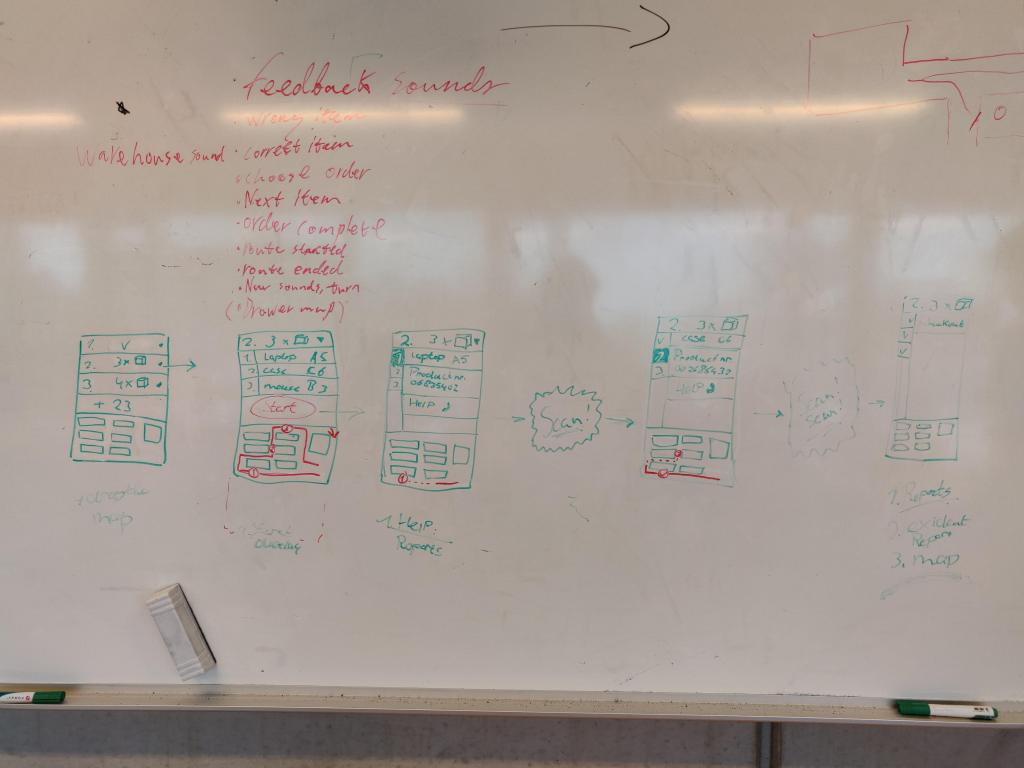
Thursday morning we will start making the tablet prototype. Before we started making this on paper, we first sketched it out on a whiteboard so that we could easily make adjustments. We were also able to clearly determine for each sketch what the smart glasses would display in combination with the tablet. An image of this can be seen below.
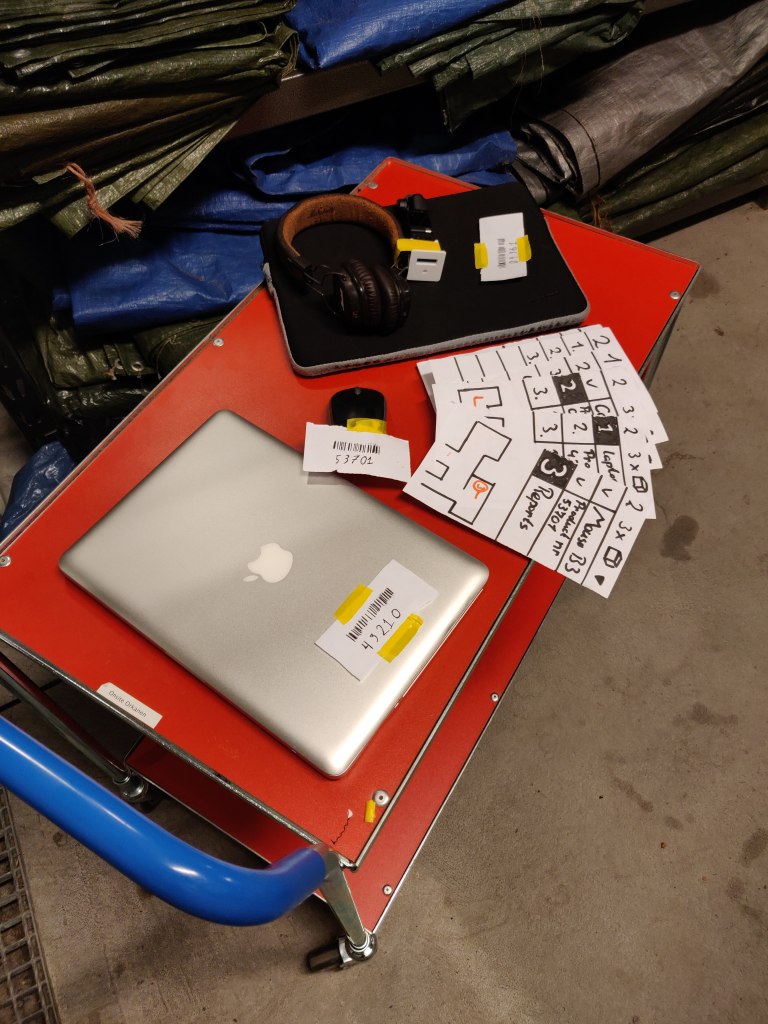
We also made the barcodes and made sure that they match the tablet’s prototype. Everything is based on the shot list we made yesterday, which meant that the paper prototype was done fairly quickly. An image of all parts of the prototype can be seen below.
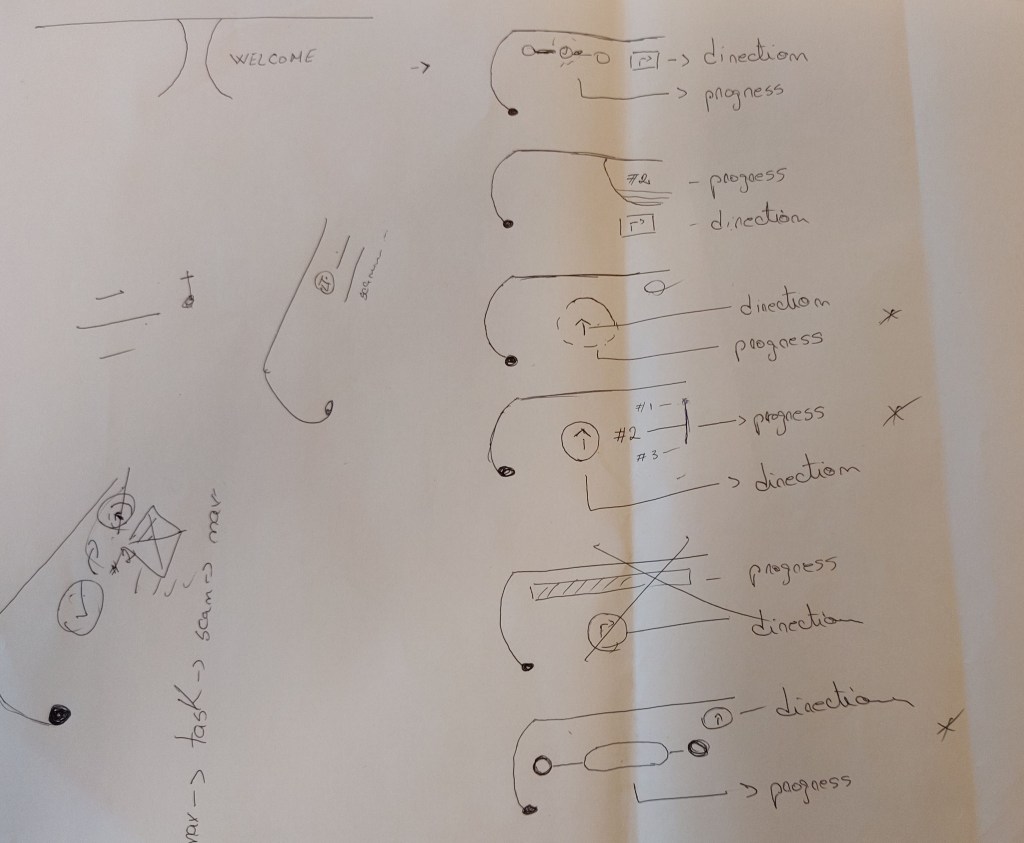
The only thing that is still missing is the information provided by the smartglasses. We also want to make this in the form of a paper prototype. We thought it would be logical to do this after making the video. So that we could film this part while watching the video from the first person perspective. We did, however, sketch this quickly so that we knew how we wanted it to look. An image of this sketch can be seen below.
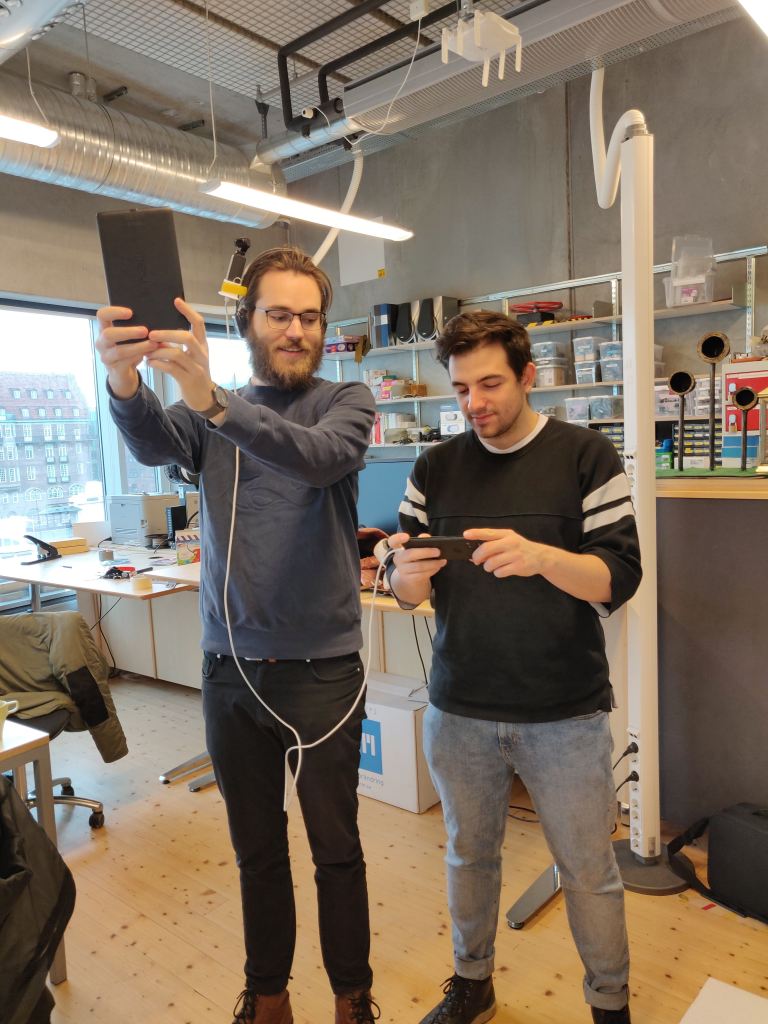
We created the first person perspective by attaching a go pro to headphones. An image of this can be seen below.
The filming of the video itself got off to a good start because we had made a lot of preparations. However, what made filming difficult was that we wanted to film it as a one shot. The reason for this was that we did not want to confuse the audience, where you are in the storage facility.
This means that we have to make a flawless shot. In which all actions, timing and changing of the tablet (which mainly takes place outside of the camera shot) must go well in one go. Unfortunately, this made it take longer than we had hoped. But after filming again a few times, we finally had a shot that we were happy with.
After filming the shot, it was time to edit the video. This consisted of cropping the image, speeding up where necessary and adding audio. Because we had to talk while making the one shot to coordinate everything, we could not use the existing audio. This means that we must add set noice and sound effects during the edit.
At the same time we were busy making the feedback of the smart glasses on paper. But we soon realized that this would take much more time than we had expected. Because we had already lost a lot of time creating and editing the video, we had to quickly look for a suitable solution.
The plan was to split us up and see what would work the easiest. Andrei and Kim tried to do this through acture. And at the same time Manuel and I focus on after effects. After about an hour we realized it was easier to make it into after effects. We could easily put the animation over the existing video. And it was harder to export an acture file and edit it in the video.
Because we made the feedback in after effects, it gave us the opportunity to think again about the feed back. For this we looked back closely at the articles and especially the article “Evaluating Peripheral Displays” (Tara Matthews et. All 2009).
A number of heuristics are mentioned that we wanted to implement even better in the smart glasses. For example, we have incorporated the “Error Visibility and Recovery” heuristic into it by giving feedback about whether you have the correct product. This is communicated by means of a green or red color and a corresponding sound. The reason for this is because it is a logical communication that you are used to. What fits well with the “Learnability” heuristics, the more the prototype resembles existing forms of feed back, the easier it is to learn. The arrow that we use to indicate the direction is similar to that of a compass. And the circle that indicates how far you are in the process is similar to that of a loading bar.
We have incorporated the “Distraction” heuristic by only displaying a change in the feed back when you are ready for the next step in the process. You have some control over it since it works together with the tablet. The heurestic “Awareness” is incorporated in it by only giving feedback about what you are currently working on. This cannot be more than two forms of information, for example direction and process information.
The last two heuristics “User Satisfaction” and “Usefulness” are difficult to process in the prototype at this time. But our extensive preliminary investigation ensures that these have been addressed.
The presentation took place on Friday. And the presentation went reasonably well. It was a shame that we had little time for the presentation. As a result, we did not have enough time to share all the steps in our design process and some parts went too fast and were therefore unclear. The video of the prototype also took too long and the concept was communicated fairly quickly.
If I did everything again, I would spend less time on the video and at least halve it in time. Which gives us more time and to share more information during the presentation.
 Sitetitel