13.11
From Wednesday my team and I started working on the project that we have to present on Friday. We had already made a start Tuesday by making a choice as to what the starting point will be.
The brief we received for the project was as follows:
“Given the definition of glanceability made in the course, design through bodystorming and paper prototypes the behavior of a multi-screen UI. The scenario can be, for example: “
- a cyclist wearing a smartwatch, a smartglass and a cellphone.
- a driver looking at the car’s dashboard and wearing a smartwatch.
- a person working at a storage facility refilling shelves wearing a smartglass and carrying a tablet.
- any other scenario you could imagine using 2 or more screens to accomplish a single task or a series of tasks’.
The first brainstorming session consisted of writing down all provided scenarios and coming up with new ones. What inspires us as a team? And do we already see possible applications of glanceability in one of these scenarios? An image of this brainstorm can be seen below.
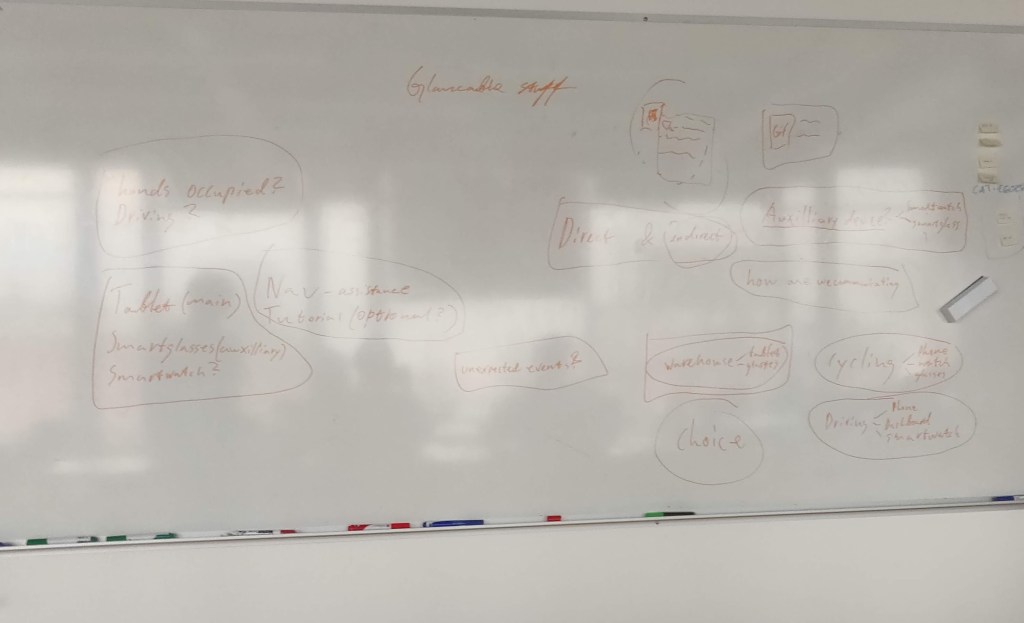
With the team, we have decided to go for the following scenario: “A person working at a storage facility refilling shelves wearing a smart glass and carrying a tablet.” There were a number of reasons for choosing this starting point:
- We saw a lot of potential in the combination of smart glasses and a tablet. When we discussed the topic, certain ideas quickly emerged about how Glancebility could play a role in this combination.
- We thought it was a challenge to make a prototype for smart glasses. When we started to think about how we wanted to visualize the combination of these devices in a prototype, we had no idea. And that is why we thought it would be a challenge to experiment with different ways of prototyping.
- We have no experience of working in a storage facility, but we think that glanceability can play a valuable role in this work. And we assume that it is a process with quite a few steps in which many small mistakes can be made. We could potentially prevent these small mistakes by adding Glancebility.
After choosing the scenario, we started creating a user journey. This was based on our expectations of what it is like to work in a storage facility. An image of this user journey can be seen below.

But we soon realized that we knew too little about working in a storage facility for a suitable application of glanceability. And the solution that we would come up with would then only be based on our expectations. We, therefore, decided to interview friends who did have experience in working in a storage facility. There were a number of things that we wanted to find out.
- What are the different tasks in a storage facility?
- Where is the biggest opportunity for improvement?
- Is there already a form of technology used in this process?
It has been a good choice to contact experts. After the interview, we got a much better understanding of the different tasks within a storage facility. For example, we discovered that there are three different functions that are executed.
- Supervisor
- Storage facility worker
- Team leaders
We have decided to focus on storage facility workers because this is where the greatest opportunity lies to implement glanceability. One of the tasks of storage facility workers is order picking. This accounts for 60% of all activities in a storage facility. And is also the activity where most mistakes are made.
Order picking is a process where storage facility workers must assemble a package by collecting multiple items. Mistakes that can occur during order picking is forgetting items or packing the wrong items. There is also room for improvement in wayfinding when searching for different items. Because the layout in a storage facility is adjusted weekly, mistakes are also made here.
They currently use scanners for order picking. But the only thing that these scanners indicate is which item you just scanned. And is therefore not related to the order that you are currently working on. They also have to keep track of how many items still need to be collected, at the same time.
After collecting this information we were able to improve our user journey.
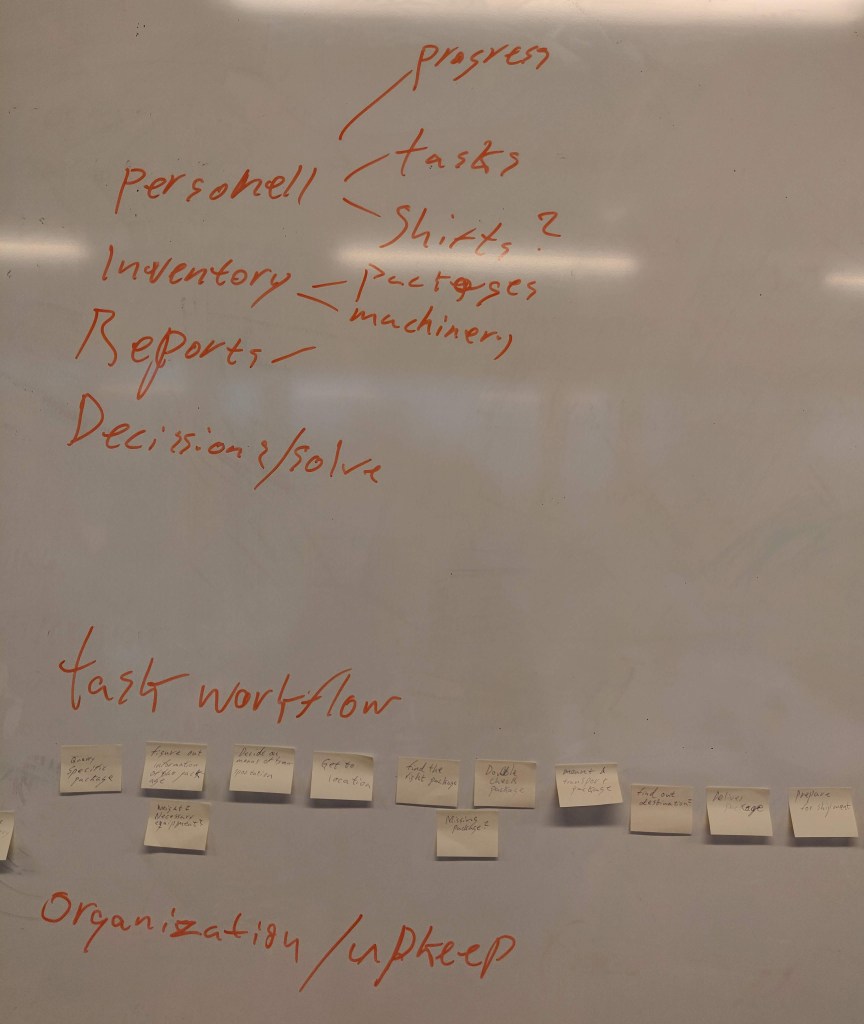
Now that we had formulated a suitable user journey and knew where there was room for improvement in this process, it was time for the next step. Coming up with the functionalities of the tablet and the glasses and how they work together.
An image of this brainstorm can be seen below.
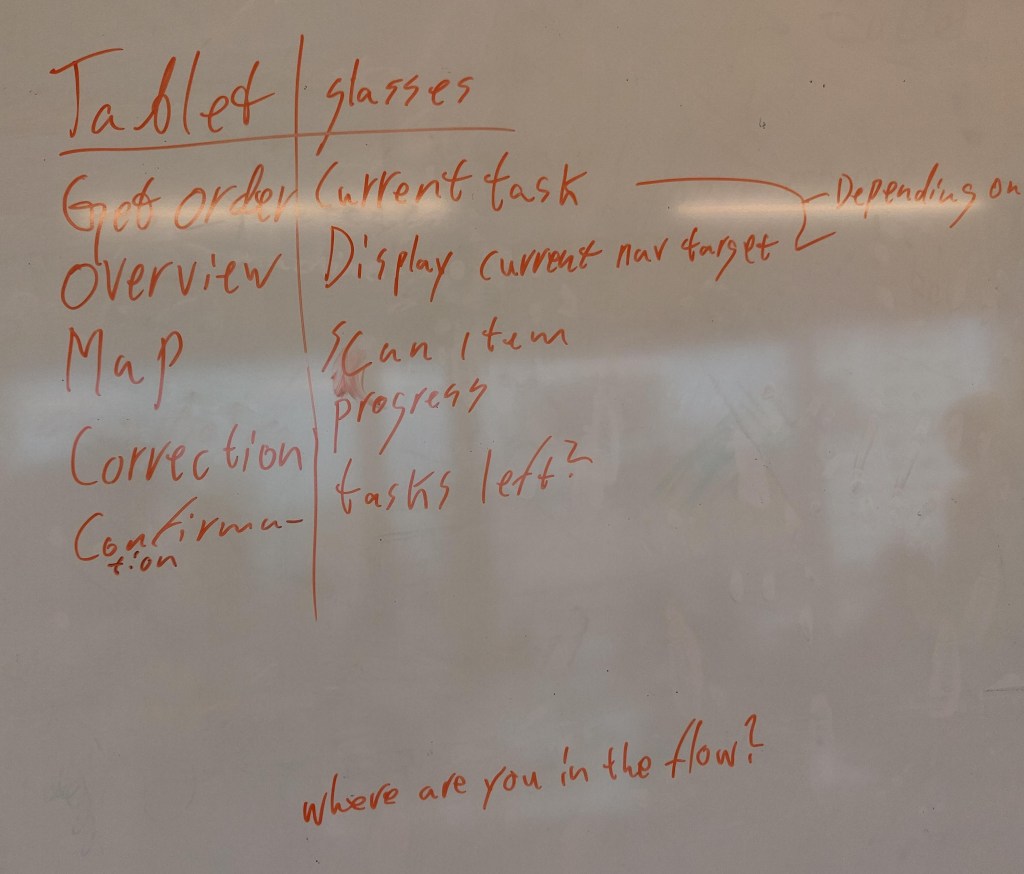
The main function of the tablet will be a general overview of the order. While the glasses will focus on the specific item that you are currently working on. There is only physical interaction with the tablet. Because the glasses and the tablet are linked to each other, the process on the glasses is updated as soon as there is interaction with the tablet.
Now that we have the functionalities of both devices, it’s time to link them to the user journey. An image of this can be seen below.
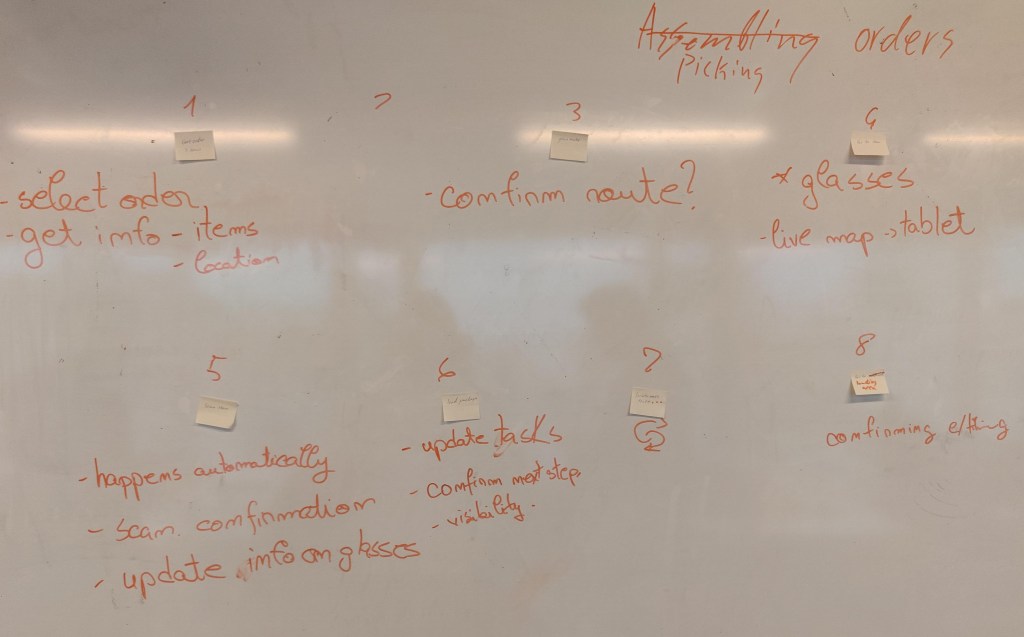
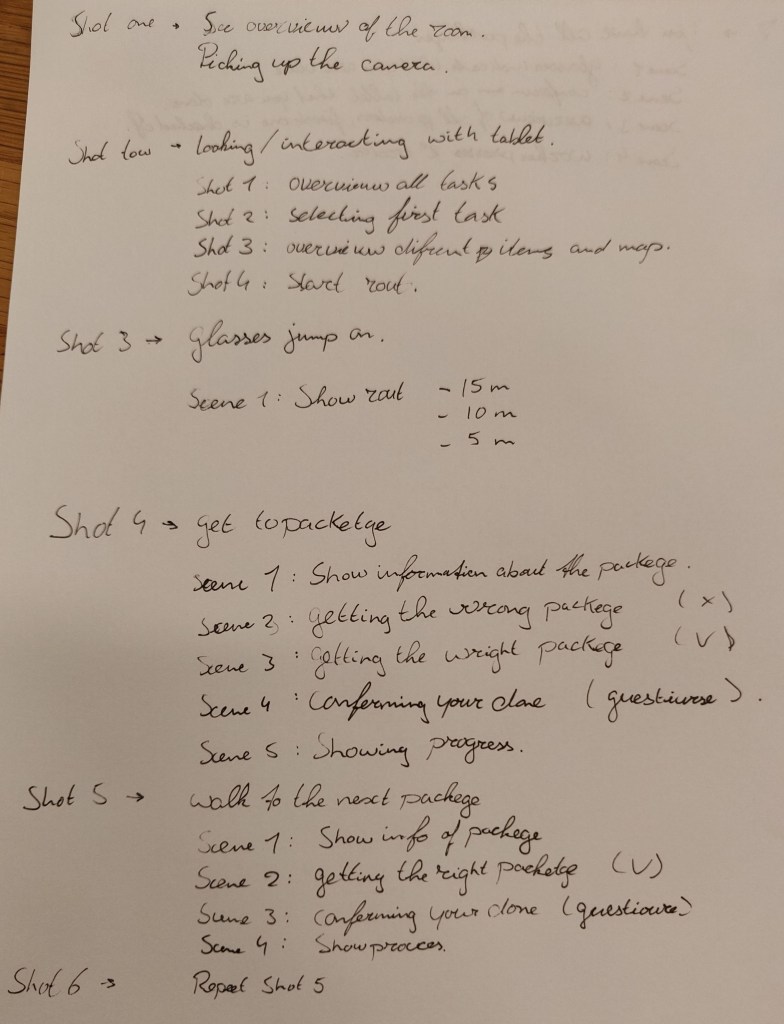
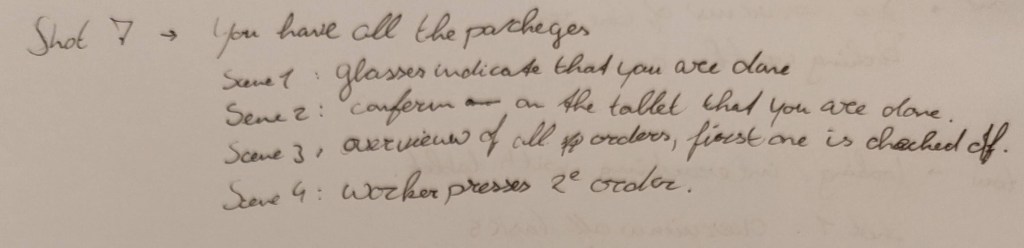
After compiling this, we started to think about how we were going to convert this into a video prototype. And after some brainstorming, we thought it would be a good idea to present this in the form of a first-person view. So that we can record the interactions with the tablet from the perspective of the user. And later on, edit in the glanceable view of the smart glasses.
For this, we need to make a clear shot list that describes each step. What interaction takes place with the tablet and what kind of reaction does the glanceable view of the smartglasses represent?
 Sitetitel